100% Safe
& Secure
1 Year
Free
Support
Money Back
Guarantee
Lifetime FREE
license
Magnificent Key Features of Excel to PST Converter Software
Now successfully recover data from Excel file and Export Excel to PST with downloading vMail Excel to PST Converter Software. It allows users to convert selective single and multiple items from Excel file to PST Outlook file without loss data. It has many features that are helpful for making the best Excel to PST conversion. Look below and read all advanced features of the software.
Convert Excel Files to Outlook PST Format with Ease
vMail Excel to PST Converter Software is a powerful, a user-friendly program that designed to easily recover and Convert all entire Excel data into PST format. Whether you are converting contacts or organized large data sets, this software handles it all—no technical expertise required. Export multiple Excel file at once without any limitations.
Preview Excel Data Before Conversion
Stay in control of your data. The XLSX File to PST File Converter Software let you preview of your Excel file data before starting the migration and conversion process. This ensures that all entries are correctly loaded and ready for Convert, minimizing errors and saving time.
Column Mapping for Accurate Conversion
Excel and Outlook use different field structures, but this doesn’t need to complicate your workflow. With our advanced column mapping feature, you can easily align Excel columns with the appropriate Outlook contact fields. This guarantees a smooth and accurate transfer of data.
Eliminate Duplicate Contacts Automatically
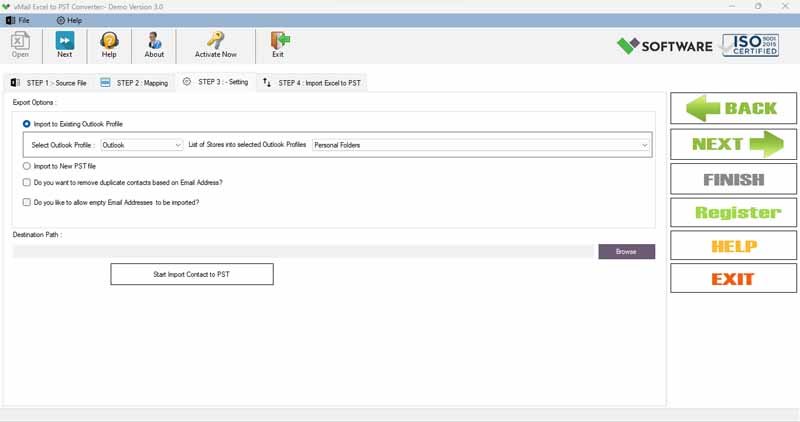
No more clutter! The vMail Excel to PST Conversion software includes an intelligent duplicate removal option that lets you filter out duplicate contacts during the conversion process. Keep your PST file clean, organized, and duplication-free.
Export Contacts to PST, MSG, and vCard Formats
The vMail Excel to PST converter Software supports more than just PST. You can also export your Excel or CSV contacts to MSG and vCard (.vcf) formats. Without data loss, you can convert data of Excel file to PST in just few minutes.
Create Outlook Distribution Lists from Excel
Quickly Convert your Excel contact lists into Outlook distribution groups. This feature allows you to create a distribution list for each individual or category, streamlining communication and email management within Outlook.

How vMail Excel to PST Converter Works
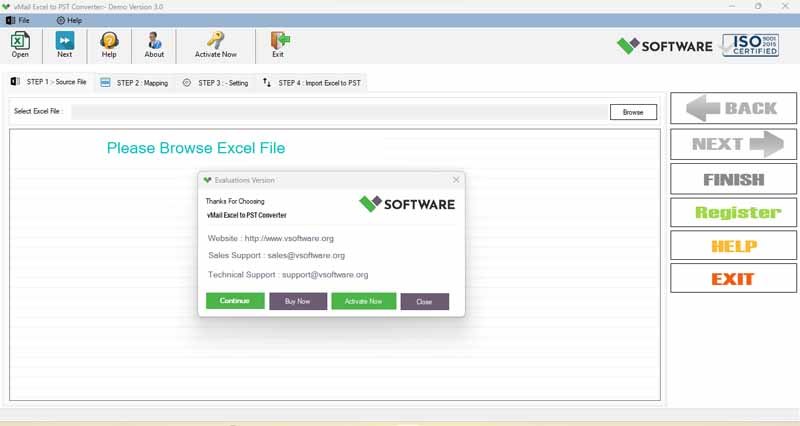
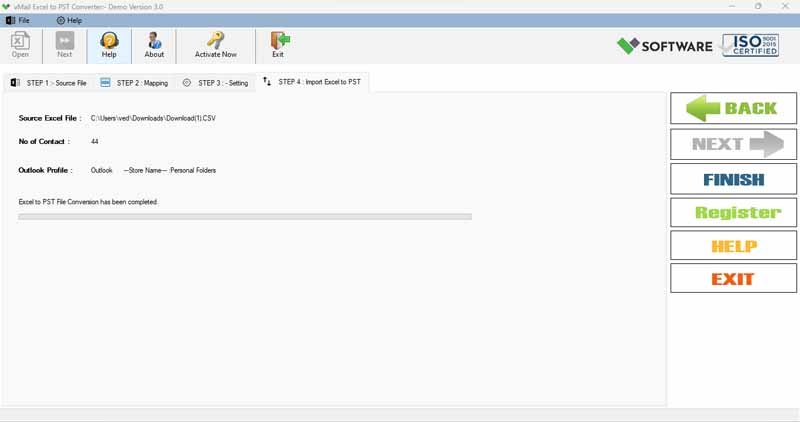
Know How to use Excel XLS to PST Converter to import Excel file Contact to Outlook PST File & other formats
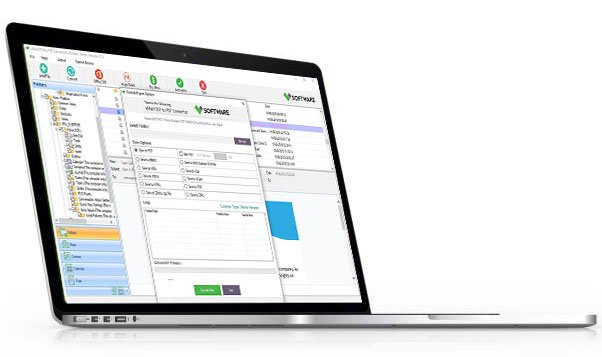
DetailsSoftware Screenshots
System Requirements
- Processor Pentium Class
- Operating System Windows 11, 10, 8.1, 8, 7, Vista, XP
- Memory Minimum 128MB RAM (512MB recommended)
- Hard Disk 50 MB of free space for Software installation
What Our Client Say ?
Synergistically engineer functionalized applications rather than backend e-commerce.

The preview and duplicate removal features were precisely what I needed. This XLS file to PST file converter software is a game-changer.
Exporting Excel to MSG and vCard formats gave me flexibility across different platforms. A powerful Excel to PST conversion tool for professionals.
vMail Excel to PST Converter Software made it extremely simple to move all our Excel contacts into Outlook. Fast, accurate, and user-friendly—highly recommended!

FAQ's
Can I Export multiple Excel files at once?
Yes, the vMail XLS File to PST File Converter software supports bulk Excel to PST conversion, letting you to Export multiple Excel files to PST in a single batch process.
Does this software support .CSV files as well?
Absolutely. Along with XLS and XLSX files, the XLS file to PST file Converter Software also supports CSV file formats for seamless data import and conversion.
Is technical knowledge required to use the software?
Not at all. The vMail Excel to PST Converter tool is designed with a user-friendly interface that makes it easy for both beginners and professionals to perform Excel to PST conversion without any technical skills.
How does the column mapping feature work?
The Excel to PST Conversion software allows you to map Excel columns with Outlook contact fields, ensuring that phone numbers, names, emails, and other data are placed correctly in the PST file.
Will duplicate contacts be removed automatically?
Yes, during the Excel to PST conversion, the software provides an option to identify and remove duplicate contacts, helping you maintain a clean contact list.