100% Safe
& Secure
1 Year
Free
Support
Money Back
Guarantee
Lifetime FREE
license
Magnificent key Features of vMail Gmail Migration Tool
Searching for the best Gmail Email backup tool to Export Gmail Emails and download Gmail emails? So, here you can download Gmail Migration tool that allows you backup your all Gmail accounts and Export them into EML, PST, OST, and other format with upholds folders, sub-folder’s structure and emails formatting and properties- to, bcc, time and subjects etc. Email Backup & Migration Tool allows you import multiple Gmail and G-suite accounts on Mac and Windows OS.
Backup Gmail Emails in Many Formats
vMail Gmail backup and Migration Tool is 100% safe for using and capable to take all the backup Gmail emails and Export Gmail emails into many other formats such as- MSG, EML, EMLX, PST, PDF, HTML, MHTML, MBOX and many others format.
Export Gmail Emails to PST
Convert Gmail emails to PST format for use in MS Outlook, exporting all Gmail folders to a single Unicode PST file compatible with any Outlook version.
Selective Mail Folder Export
Choose exactly what you want to back up. The vMail Gmail Backup & Migration Tool displays all Gmail mail folders and gives you the flexibility to select one or multiple folders. Export only the necessary data instead of your entire inbox.
Filter Emails by Date
Need to back up emails from a specific time period? Use the built-in date filter of vMail Gmail Backup & Migration Tool to export emails between selected “From” and “To” dates. This feature is perfect for retrieving emails tied to particular projects or timeframes.
Free Trial Available
Test the vMail Gmail Backup & Migration Tool for free with the demo version from vMail Software. Download up to 20 emails per folder to evaluate the software’s functionality—no payment required for demo but for complete data purchase full version.
Complete Email Backup
The best Gmail email backup tool ensures complete backup of your selected Gmail folders, including Inbox, Sent, Journals, Drafts, Junk, and more—preserving all email metadata, formatting, and attachments during the export process.

How vMail Outlook to Gmail / G Suite Migrator Works
Know How to use Outlook to Gmail / G Suite Migrator to migrate outlook file to Gmail / G Suite account
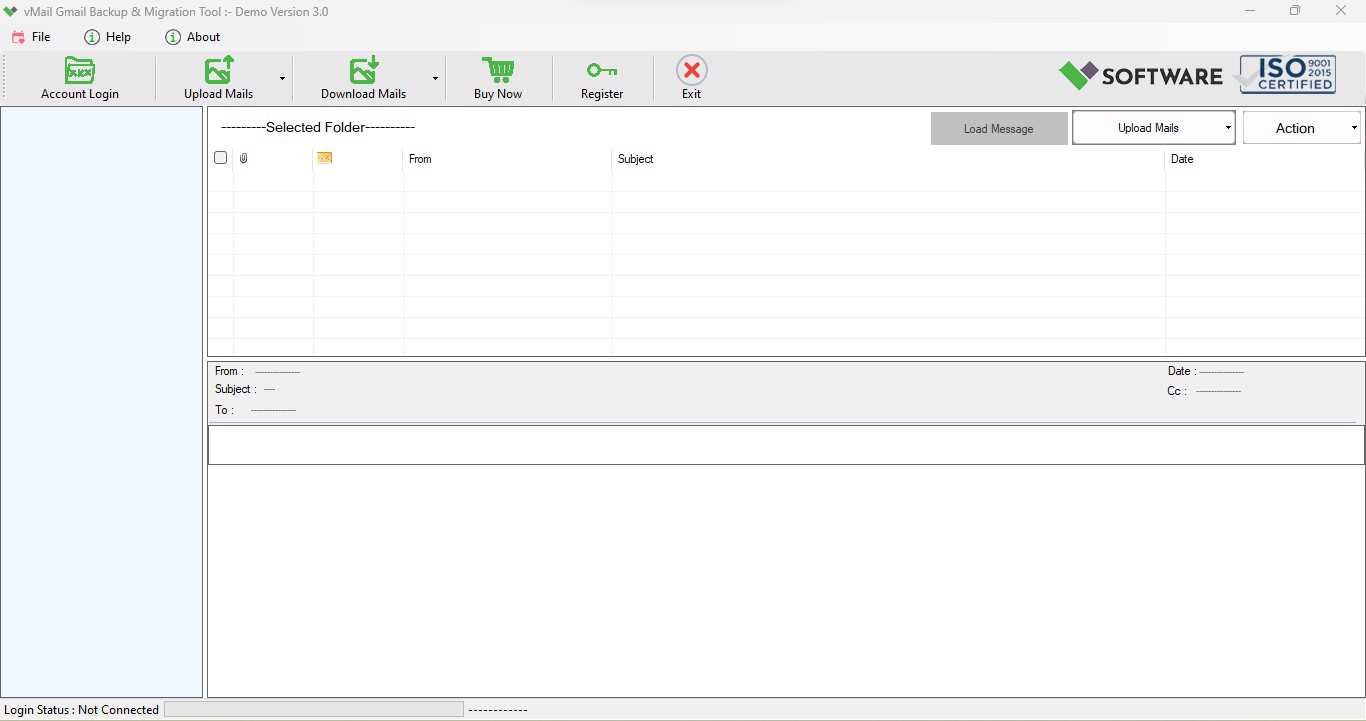
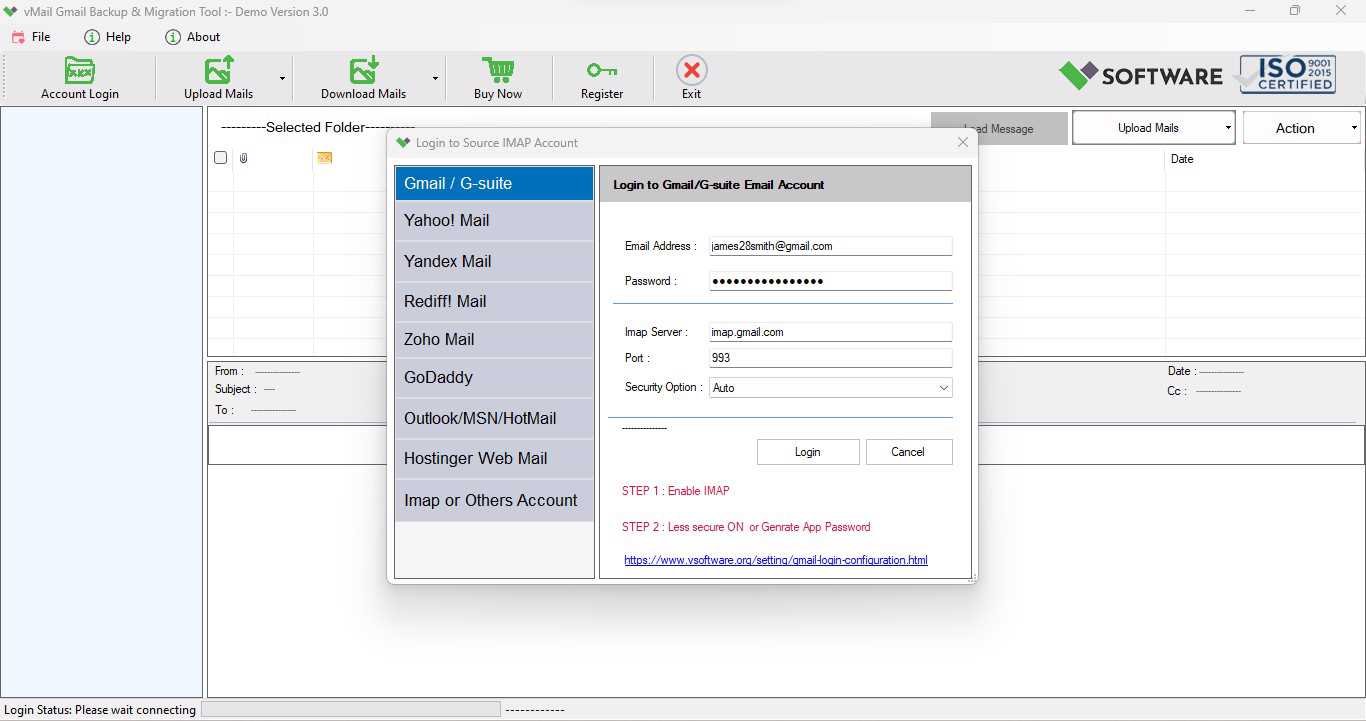
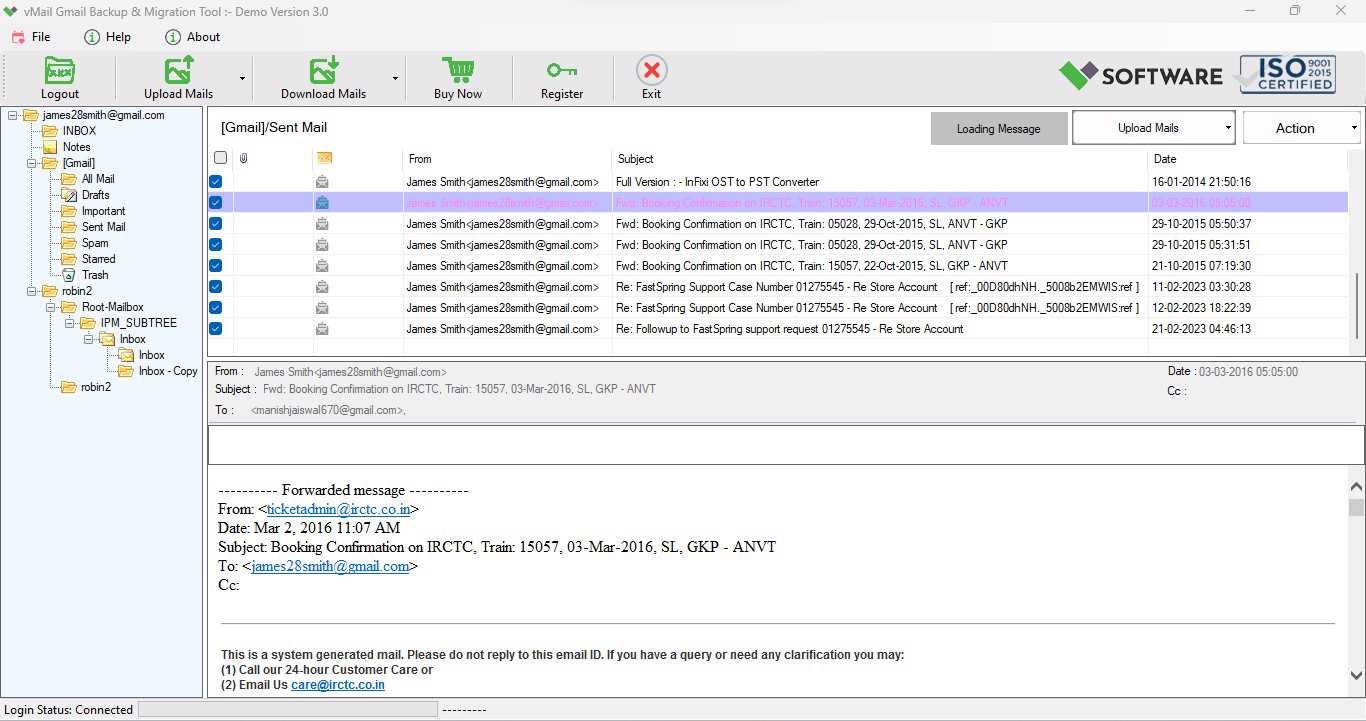
DetailsSoftware Screenshots
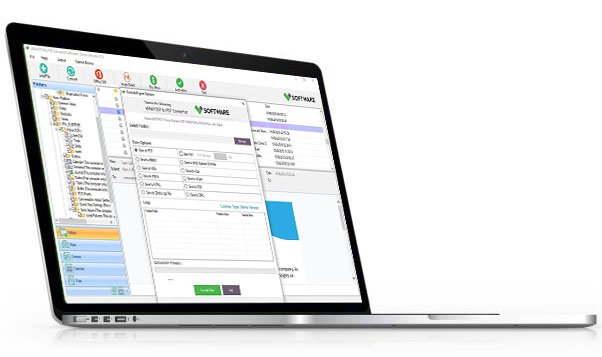
System Requirements
- Processor Pentium Class
- Operating System Windows 11, 10, 8.1, 8, 7, Vista, XP
- Memory Minimum 128MB RAM (512MB recommended)
- Hard Disk 150 MB of free space for Software installation
What Our Client Say ?
Synergistically engineer functionalized applications rather than backend e-commerce.

I have tried a few tools before, but vMail Gmail Backup & Migration Tool helped me perfectly to Export emails and used it and converted all my Gmail emails to Outlook without loss data. Highly recommended!
Very easy to use. I exported my Gmail emails to Office 365 in minutes. No data loss, and everything was intact!
I loved how I could select specific folders and download only what I needed. Great customization and super reliable!

FAQ's
Can I take back up emails from multiple Gmail folders at once?
Yes, the vMail Gmail Backup & Migration Tool gives you option to take backup of your emails from folders such as- inbox items, outbox items and backup them up together in a single process.
Is it possible to open the exported PST file in Microsoft Outlook?
Yes, you can export the PST File in Unicode format and it is completely supporting all MS Outlook versions included- Outlook 2021, 2019, 2016, and earlier.
Can I use this tool to migrate Gmail emails to Office 365 or Outlook.com?
Yes, vMail Gmail Backup & Migration Tool allows users directly email migration from Gmail to Office 365, Outlook.com, and other IMAP-based accounts.
Is my Gmail account safe while using this tool?
Finally, vMail Gmail Migration Tool uses secure authentication (OAuth 2.0) for Gmail access and does not store any user credentials or data.
Do I need technical skills to use this software?
Not at all. The Email Backup & Migration Tool tool comes with a simple, user-friendly interface, making it easy to use for both professionals and beginners.