
100% Safe
& Secure
1 Year
Free
Support
Money Back
Guarantee
Lifetime FREE
license
Advanced Key Features of NSF to O365 Converter Software
vMail NSF to O365 Migration Software is helpful and advanced features-based tool that migrate lotus notes NSF Files to Office 365 accounts and other format such as- Live Exchange Server and Gmail/G-Suite accounts. NSF to Office 365 Converter Software provides you date filtering option to filter the emails according to dates and export NSF to O365 with no issue.
Export NSF Items to Office 365
Easily Export NSF to O365 accounts by taking help of vMail NSF to O365 Migration Software. It is 100% safe and secure program to successfully migrate lotus notes files to Office 365 with emails, contacts, calendars, task, notes and etc.
Supports Migration of Multiple Mailboxes
vMail NSF to O365 Converter Software supports batch migration, allowing you to add single and multiple NSF Files/folders and emails single time and convert them into Office 365 accounts with emails and attachments. Without technical knowledge, it Migrate lotus notes files to Office 365.
Export Selective Mailbox Items
Download the best vMail NSF to Office 365 Converter Software to Convert NSF to O365 by selectively. For this choose date filtering option and define specific period of dates for NSF to Office 365 Migration. Convert multiple NSF file data with emails or attachments into O365.
Preview Lotus Notes Emails & Attachments
Before migration, the vMail NSF to O365 Migration Software perform quickly recovery and conversion of lotus notes NSF file data with maintains each folders structure and emails properties – to, cc, bcc, time, subjects and etc. The software provides live preview feature that helps users verify data integrity before completing the conversion to O365.
Migrate HCL Notes to Microsoft 365
NSF to O365 Converter Software supports the conversion from HCL Notes (Lotus Notes) NSF files to Microsoft 365 with full folders and their sub-folders items. Software works seamlessly with all versions of HCL notes, including- latest version 12, ensuring smooth and error-free data transfer.
Maintains Folder Hierarchy & Data Integrity
The software ensures that the entire folders, sub-folders and emails formatting included- to, bcc, cc, time, subjects and from etc remain exactly the same after conversion. Without data loss, the software guarantees full data integrity throughout the process.

How vMail NSF to O365 Migration Works
A step-by-step guide to using vMail NSF to O365 Migration into importing Lotus/HCL Notes(*.nsf) file for Microsoft Office 365 and Live Exchange Server
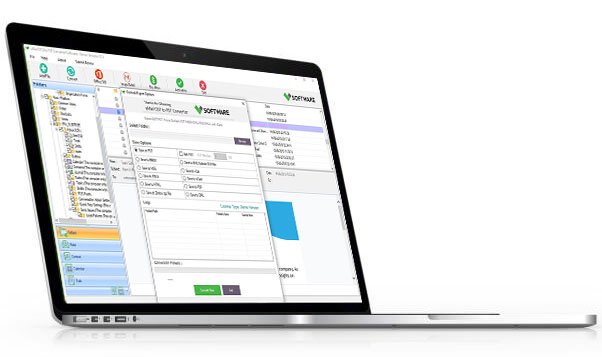
DetailsSoftware Screenshots


System Requirements
- Processor Pentium Class
- Operating System Windows 11, 10, 8.1, 8, 7, Vista, XP
- Memory Minimum 128MB RAM (512MB recommended)
- Hard Disk 150 MB of free space for Software installation
What Our Client Say ?
Synergistically engineer functionalized applications rather than backend e-commerce.

vMail NSF to O365 Migration software made it easy to convert NSF to O365 directly without converting to PST. It saved a lot of time for my IT team.”
I’m impressed with how this tool maintained the folder structure and attachments. It’s definitely a reliable NSF to O365 converter for business use.
This is the best NSF to Office 365 converter I’ve ever used. The interface is simple, and the results are accurate.”

FAQ's
Does this software maintain the folder structure after conversion?
Yes, the vMail NSF to O365 Migration Software is capable to maintains al folders structure during the conversion NSF to Office 365 accounts.
Is there a date filter option available?
Yes, the software provides date filtering option. You can filter the emails by dates and export them into new Office 365.
Can I migrate data to a specific Office 365 mailbox?
Yes, the software let you map and import lotus notes NSF File to O365 mailboxes of your selection using secure credentials.
How long does the migration process take?
The duration depends on the file size and number of mailboxes being converted. However, the software uses an optimized algorithm for efficient migration.
Can I try the software before purchasing?
Yes, you can try demo version of the software that allows you view all software functionality and for using complete feature, purchase full version of the software.