100% Safe
& Secure
1 Year
Free
Support
Money Back
Guarantee
Lifetime FREE
license
Key Features of Backup and restore Office 365 Mailbox to PST
vMail Office 365 Email Backup Software allows you to backup and archive Office 365 mailboxes into PST format with complete data extraction. It provides support restore archive office 365 mailbox to PST with emails, contacts, calendars, tasks, notes, inbox items, etc. This Office 365 Email Backup Tool is also available for Mac, helping users to backup some chosen mailbox items. The tool restores the mailboxes from backup to Office 365 very easily.
Take Full Backup of Office 365 Mailboxes
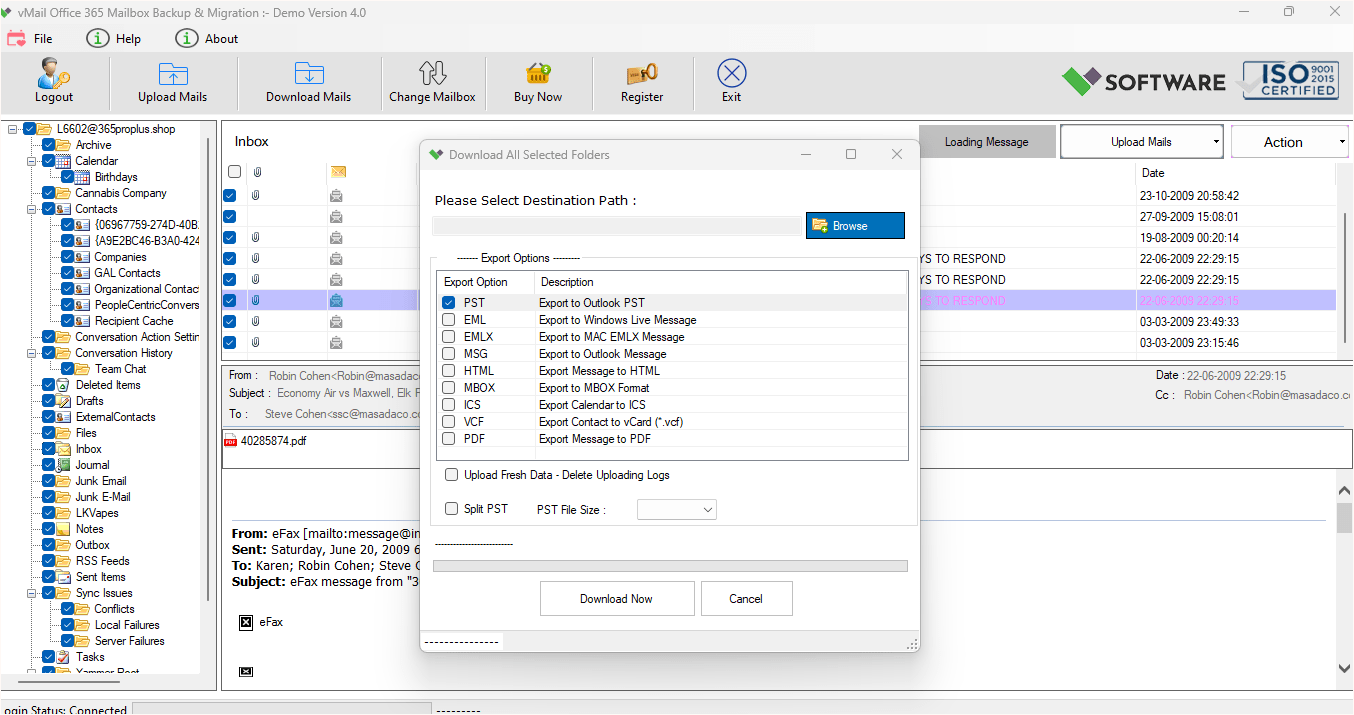
It's a complete Office 365 account backup solution. vMail O365 Mailbox Backup Tool allows the safe backup of emails, contacts, calendars, and other mailbox data, saving them in multiple formats such as PST, EML, MSG, and PDF.
Export and restore Office 365 data to other email Clients
Valid login credentials will let you export Office 365 mailbox data to most email clients, including Gmail, Yahoo, Thunderbird, Zimbra, etc., very easily. The office 365 email backup tool does the exportation of data safely and backup office 365 to PST.
Microsoft Office 365 File Restore in Multiple Formats
This is office 365 backup and Restore utility for Office 365 that is developed to tackle export and restore intricacies. Using this software solution, it is possible to export Office 365 mailbox files into PST, EML, MSG, HTML, and MBOX formats and supports all versions of MS Outlook, including MS Outlook 2016 and 2019.
Convert Single Office 365 User Mailbox
This is best vMail O365 Mailbox Backup Tool that helps you extract data from an Office 365 account and backup office 365 to PST on your local machine. This software maintains the formatting of the data during the process.
User-Friendly Interface
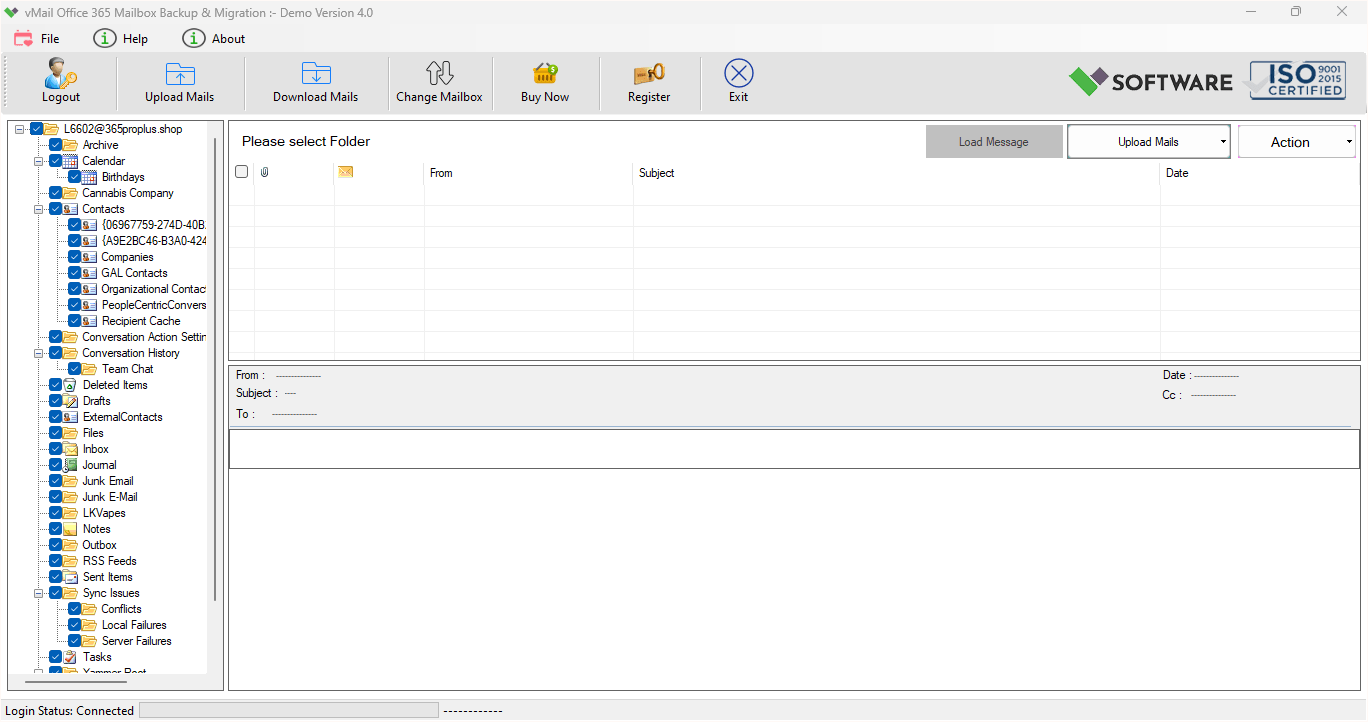
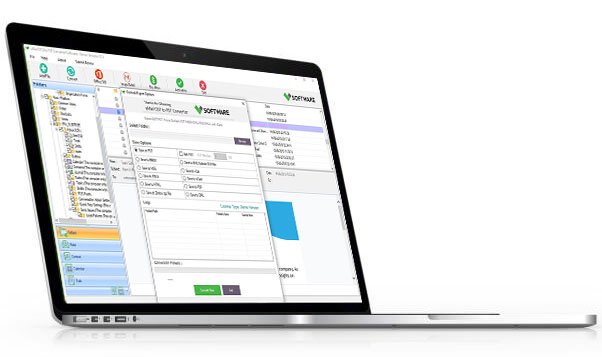
The vMail Office 365 Database Backup Software has a graphical interface and is easy to use. Users can easily backup and restore mailboxes in Office 365 and view messages before beginning to convert them.
Import PST Files into Office 365
The office 365 email backup software can import PST files into Office 365 mailboxes. It supports multiple PST files import operations, and it works well with all versions of MS Outlook, including Outlook 2016 and Outlook 2019.

How vMail Office 365 Mailbox Backup Tool Works
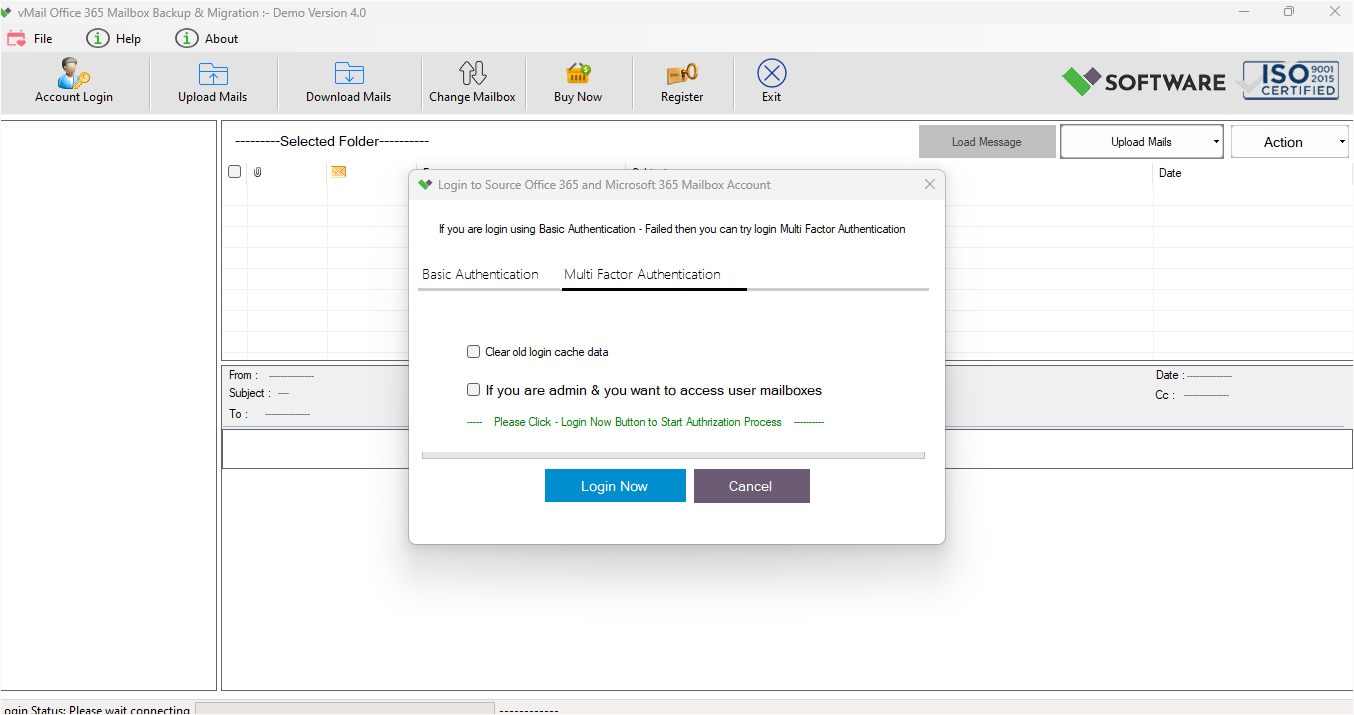
A step-by-step guide to using vMail Office 365 Mailbox Backup to easily get user mailbox backup and Migartion from Outlook PST File, EML, MSG, MBOX file and get backup into Outlook PST File, EML, MSG, MBOX and PDF File Format.
DetailsSoftware Screenshots
System Requirements
- Processor Pentium Class
- Operating System Windows 11, 10, 8.1, 8, 7, Vista, XP
- Memory Minimum 128MB RAM (512MB recommended)
- Hard Disk 150 MB of free space for Software installation
What Our Client Say ?
Synergistically engineer functionalized applications rather than backend e-commerce.

“The vMail Office 365 Mailbox Backup has made it very simple for me to back up my Office 365 mails into PST. It is fast, and my data is fully secured.”
“I personally utilized vMail Office 365 Backup Software to backup my emails, contacts, and calendar. The software is easy to use, and its backup process was flawlessly executed. It is highly recommended.”
“With vMail O365 Mailbox Backup Tool, I was able to successfully backup my Office 365 mailboxes on my local machine without any problems. The functions are great and trustworthy.”

FAQ's
How can I recover an Office 365 mailbox from a backup?
For this purpose, you can make use of the restore function available in vMail Office 365 Backup Software. To do this, you need to choose a mailbox to restore by using a backup file.
Can I backup Office 365 data to PST?
Yes, vMail O365 Mailbox Backup Tool software enables you to backup office 365 to PST that can be used with MS Outlook.
Is the software capable of PST archiving for Office 365 mailboxes?
The vMail Office 365 Mailbox Migration tool supports PST, EML, MSG, MBOX, HTML, ICS, VCF, and PDF formats.Yes, it is possible to archive the Office 365 mailboxes in PST format and save them on your local machine.
Is it possible to back up several Office 365 accounts simultaneously?
Yes, vMail Office 365 Backup Software allows bulk backup of multiple user accounts of Office 365.
Can one individually retrieve emails from a backup copy?
Yes, there is a granular restore facility to restore individual emails from backup in the software