100% Safe
& Secure
1 Year
Free
Support
Money Back
Guarantee
Lifetime FREE
license
Outlook PST File Split Tool – Easily Split Large PST Files
vMail PST File Split tool is best and recommended by IT Experts and professional. It let all users to split their larger Outlook file supported all versions such as- 2021, 2019, 2016, 2013 and below versions into small PST File. you can split large PST File into smaller parts based one date, size, email ID or category. Below mention all features of the software that are helpful to make splitting process better.
Split PST File by Date
vMail PST Splitter tool is most powerful application that gives you option to select and split oversized PST Files by specific data ranges. You can create new PST Files containing only emails within your chosen “from “and “to” dates.
Split PST by Email ID
The Outlook PST Splitter tool gives you option to create a new PST File containing emails from selected emails IDs. Easily browse, and select the PST file and pick the email IDs to include iin PST File.
Add & Search PST
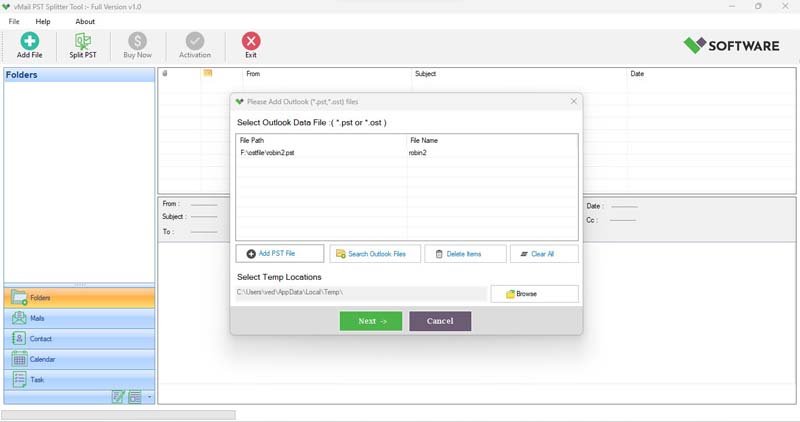
Download best vMail PST Split tool allows you to add PST File using the Add file button or locate them quickly and easily with the built-in search option from any selected folders.
Split PST by Folder
vMail PST Splitter tool allows you extract and split specific folders from a PST File. You can also create separate PST Files for each folder or combine selected ones into a single file.
Split by Size
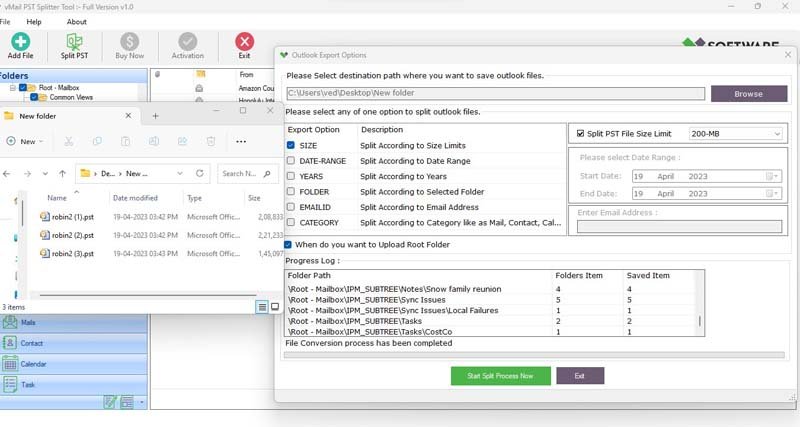
Now easily split large Outlook PST Files into smaller parts by size (MB or GB). With using this outlook PST Split tool, you can manage outlook file size limits easily and avoid performance issues.
Supports Unicode & ANSI PST
vMail PST Split Tool is completely supporting both Unicode and ANSI PST format. You can easily handle even large PST Files upto 80 GB without data loss.

How vMail PST Splitter Tool Works
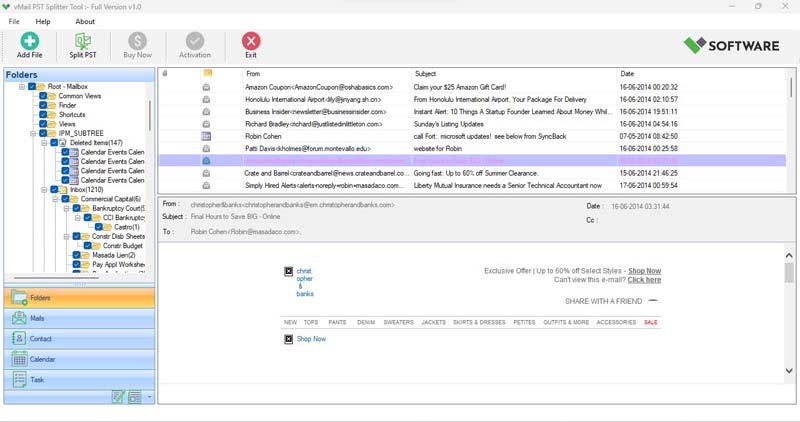
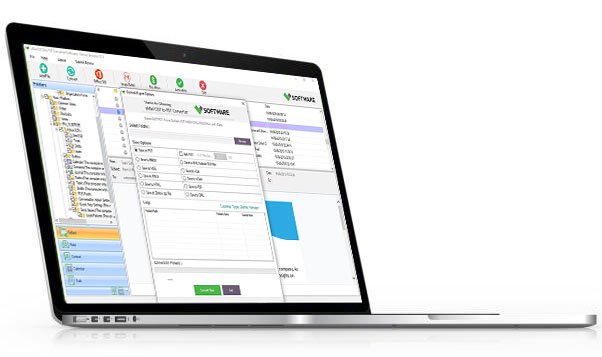
Know How to use vMail PST Splitter Tool to split (*.pst) file into multiple PST file according to split option
DetailsSoftware Screenshots
System Requirements
- Processor Pentium Class
- Operating System Windows 11, 10, 8.1, 8, 7, Vista, XP
- Memory Minimum 128MB RAM (512MB recommended)
- Hard Disk 150 MB of free space for Software installation
What Our Client Say ?
Synergistically engineer functionalized applications rather than backend e-commerce.

Outstanding software! It smoothly handled my 60 GB PST file without any errors. The consequences were precise and well-structured.
I tried several tools, but vMail PST Splitter Software was the most consistent and easy to use. Prodigious customer support too!
This tool helped me organize my Outlook data efficiently. I loved the split-by-date feature — it saved me hours of manual work

FAQ's
Can I split PST files without installing Outlook?
Yes, MS Outlook installation is needed to perform split large PST File effortlessly.
What types of PST files does the tool support?
vMail PST Split tool supports both ANSI and Unicode PST File from all versions of MS Outlook such as- 2021, 2019, 2016, 2013, and older.
Can I split PST files by specific criteria?
Yes, you can split outlook PST File by email ID, date, folders, size or category according to your favourite.
Will this tool work with corrupted PST files?
Yes, the vMail PST File Split tool can repair damaged PST File and split even partially corrupted PST files before saving them into smaller parts.
Is there a demo version available?
Yes, vMail PST File Split tool offers a free demo version that let you to test the features before buying the complete version.