100% Safe
& Secure
1 Year
Free
Support
Money Back
Guarantee
Lifetime FREE
license
Magnificent key features of vCard to Outlook Import Tool
Best vCard to Outlook Import Tool is 100% safe and powerful program that works easily to Convert vCard to Outlook with emails and attachments. The Software will Import everything in your VCF file such as- emails, contacts, calendars, task, notes and other items. Software doesn’t require third party application to run the software and smoothly convert ‘n’ number of vCard contacts to PST.
Export Large vCard Files to Outlook
vMail vCard to PST Converter Software is thoroughly tested to handle even the large sized of vCard files with 100% data securely to perform the conversion vCard to PST. VCF File Converter Software ensures reliable Export VCF Contacts directly to Outlook or in existing outlook PST File.
Selective vCard to Outlook Conversion
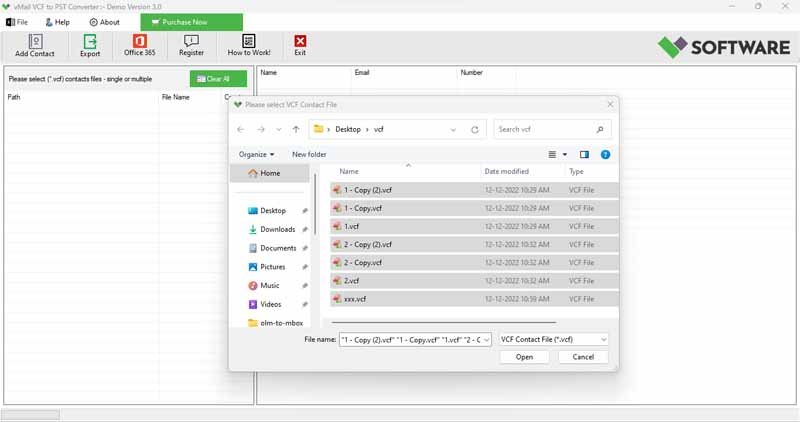
Now it become possible to take complete control of your conversion data by using this smart vMail VCF to PST Converter Software that let you Export selectively vCard files from a folder containing multiple contacts. You can easily skip not needed files and Export only the ones that you need to save.
No Outlook Installation Required
Designed for maximum flexibility, this vMail VCF File Converter tool operates self-sufficiently of Microsoft Outlook. There’s no need for Outlook installation or configuration—simply load your vCard (.vcf) files, and the software will perform to recover data from VCF File and convert them to Outlook-compatible PST format with ease.
Preserve All Contact Details
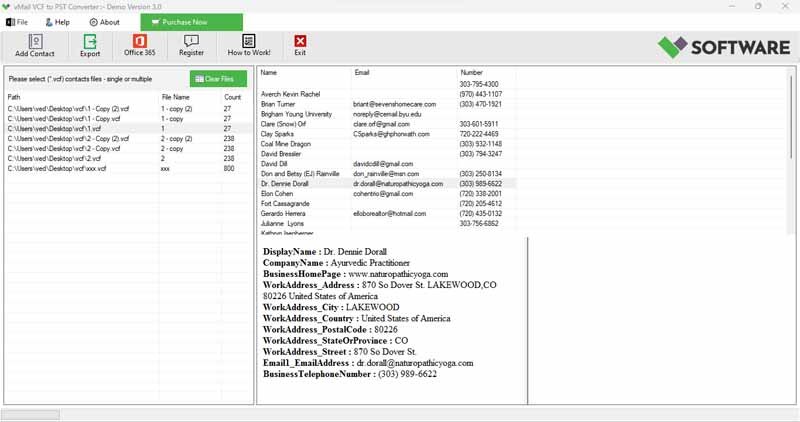
The vCard Converter Software ensure all data integrity during the conversion time and it also transfer the entire contacts details including- phone numbers, emails address, home and work address, names and other personal details from vCard to Outlook without any data loss without size limitation.
Supports All Major vCard Versions
vCard Contact Converter Software is 100% safe and powerful application that compatible with vCard versions 2.1, 3.0, and 4.0. It supports vCards made by a wide range of sources, including webmail services, desktop apps, and cloud platforms such as G Suite, Skype, iCloud, and more.
Import to an Existing Outlook PST File
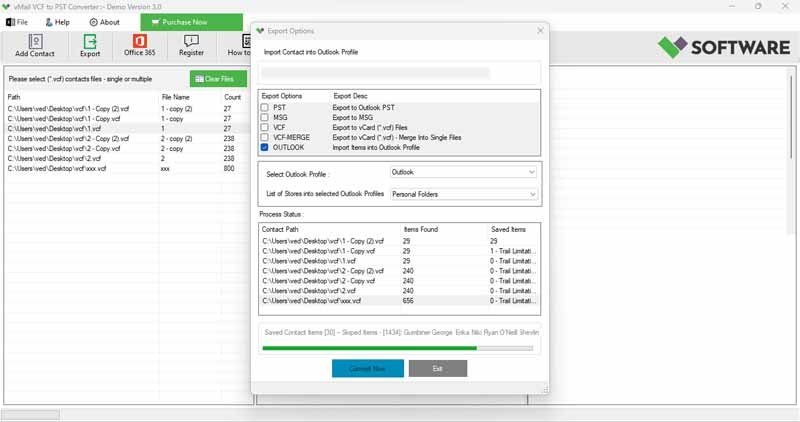
The vMail vCard to Outlook Import software also offers the option to save contacts directly into an existing PST file. Just specify the location of the PST on your local drive, and the VCF File Converter tool will automatically import all selected contacts—no manual effort required.

How vMail VCF Converter Works
Know How to use VCF Converter to convert (*.vcf) file to PST file and Office 365 Migrations
DetailsSoftware Screenshots
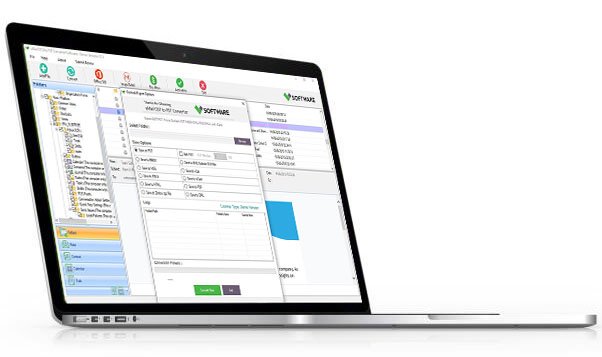
System Requirements
- Processor Pentium Class
- Operating System Windows 11, 10, 8.1, 8, 7, Vista, XP
- Memory Minimum 128MB RAM (512MB recommended)
- Hard Disk 150 MB of free space for Software installation
What Our Client Say ?
Synergistically engineer functionalized applications rather than backend e-commerce.

This is by far the best VCF file converter I’ve used. It preserved all the contact fields and imported them perfectly into Outlook 2019.
We converted more than 2000 contacts with zero errors. Great tool with excellent customer support.
I was surprised that I could convert VCF files without having Outlook installed. Very user-friendly and fast.

FAQ's
Can I import selective and multiple VCF files at once?
Yes, the vMail VCF to PST Converter software supports bulk conversion. You can import an entire folder containing multiple VCF files PST file in just a few clicks.
Do I need Microsoft Outlook installed to use this tool?
No, the vMail VCF to PST Converter works without Outlook. It automatically works to convert vCard to PST File.
Will the software hold all contact details during conversion?
Absolutely. The tool ensures 100% data integrity, preservative all fields such as name, phone number, email address, home address, company, and notes.
Is the converted PST file compatible with all versions of Outlook?
Yes, the converted PST files are completely compatible with all major Outlook versions including Outlook 2021, 2019, 2016, 2013, and earlier.
Is there a trial version available?
Yes, a free trial version is available to evaluate the tool’s functionality. The demo version allows limited conversions so users can test before purchasing.